

If you are planning to buy or sell property in Pakistan, there is one step that needs to happen before anything else. You need a National Tax Number and you need to be on the Active Taxpayer List. Without these two things in place, you will pay advance tax rates that are five to eight times higher than what a registered filer pays on the exact same transaction.
Most guides on NTN registration treat it as a standalone administrative process. This guide is different. It is written specifically for property buyers, sellers, and investors who want to understand not just how to get an NTN, but why it matters so much in the context of real estate, what it costs you to not have one, and what happens after you register that most people never follow through on.
At Chakor Ventures, we see the financial impact of NTN status on property transactions every day. This guide covers everything you need to know so you never enter a property deal without being fully prepared.
What Is an NTN and Why Does It Matter for Property Buyers?
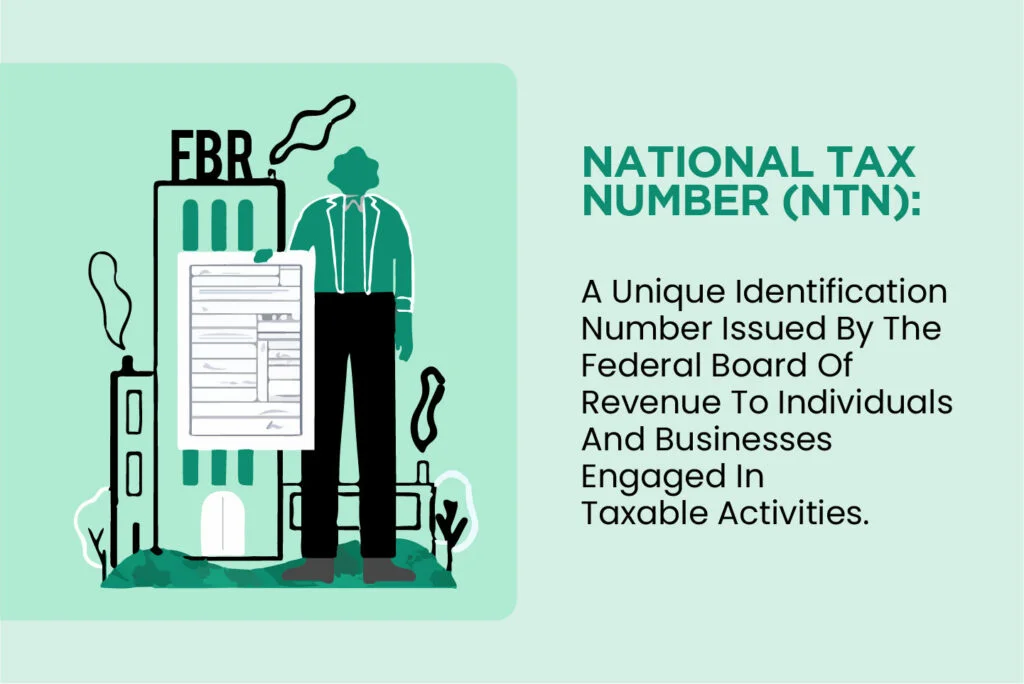
NTN stands for National Tax Number. It is a unique identifier issued by the Federal Board of Revenue to individuals and businesses who are registered in Pakistan’s tax system. Just as your CNIC is your identity as a Pakistani citizen, your NTN is your identity within the tax system. It is the first step toward becoming a registered, compliant taxpayer and appearing on the Active Taxpayer List.
For property buyers specifically, the NTN is not just a bureaucratic formality. It is the gateway to significantly lower tax rates on every property transaction you will ever make. Without an NTN and an active filing history, you are classified as a Non-Filer and pay the highest possible advance tax rates on property purchases, property sales, and rental income.
On a property purchase worth Rs. 1 crore, a registered filer with an NTN pays Rs. 1.5 lakh in advance tax under Section 236K. A Non-Filer without an NTN pays Rs. 12 lakh on the same transaction. That single difference of Rs. 10.5 lakh is the real cost of not having your NTN and filing history in order before you buy.
Use our Property Tax Calculator to see exactly how much your NTN status affects your tax liability on any specific transaction.
What Is the Difference Between NTN Registration and Being a Tax Filer?
This is one of the most commonly misunderstood distinctions in Pakistan’s tax system, and it costs people money every day.
Getting an NTN is the first step. It registers you in FBR’s system and gives you access to the IRIS portal. However, having an NTN alone does not make you an active filer and does not put you on the Active Taxpayer List.
To appear on the ATL and qualify for reduced tax rates, you must do two things. First, obtain your NTN. Second, file your annual income tax return through the IRIS portal before the September 30 deadline each year.
Many property buyers get their NTN and assume they are done. They are not. Until they file their first return and appear on the ATL, they are still classified as Non-Filers for the purpose of property transaction tax rates. This is a critical point that most NTN registration guides completely fail to mention.
The full process is: NTN registration, then annual return filing, then ATL inclusion, and only then do you qualify for filer tax rates on your property transactions.
Read our complete guide on What Is the Active Taxpayers List and How Do You Get on It for a full breakdown of ATL inclusion and its financial benefits.
Who Needs an NTN in Pakistan?
NTN registration is mandatory for anyone earning taxable income or engaging in formal economic activity in Pakistan. This includes the following categories.
Salaried individuals whose annual income exceeds PKR 600,000 are legally required to register and file. Business owners, freelancers, and self-employed individuals earning taxable income must register regardless of their business structure. Property owners who own immovable property with an area of 500 square yards or more, or who earn rental income, must be registered. Vehicle owners with engine capacity of 1000cc or above are required to register. Investors and shareholders in stocks, mutual funds, or other formal investment instruments should register to benefit from lower withholding tax rates on returns and dividends. Importers, exporters, contractors, consultants, and e-commerce sellers are all required to register.
Even if your income falls below the taxable threshold of PKR 600,000 per year, voluntarily obtaining an NTN and filing a nil return is strongly advisable. The reduced tax rates you gain on property transactions alone make it financially worthwhile many times over.
Who Is Eligible for NTN Registration?
Almost every adult Pakistani citizen is eligible. You are eligible if you are 18 years of age or older, you hold a valid CNIC, and you have an active mobile number registered to your CNIC.
Overseas Pakistanis holding a NICOP or POC are also fully eligible and can complete the entire NTN registration process online from abroad without visiting Pakistan. Foreign nationals earning income from Pakistani sources, owning property in Pakistan, or conducting business in Pakistan are also eligible and may be required to register depending on their specific circumstances.
What Most Guides Do Not Tell You: NTN-Specific Insights for Property Buyers
Before getting into the step-by-step process, here are several important points about NTN registration and property transactions that most competing guides completely overlook.

- Your NTN is your CNIC number. For individual Pakistani citizens, FBR has aligned the NTN with your 13-digit CNIC number. You do not need to remember a separate number. This means the moment you complete e-enrollment on IRIS, your CNIC number becomes your tax identity in every system.
- NTN registration alone is not enough before a property transaction. As explained above, you need to both register and file at least one annual return to appear on the ATL. If you register for NTN the day before a property purchase, you will still be classified as a Non-Filer for that transaction. Allow at least one full filing cycle before expecting to benefit from reduced rates.
- The registering authority checks your ATL status in real time. When you transfer a property at a DHA, LDA, Sub-Registrar, or housing society office, the registering authority verifies your ATL status electronically at the moment of transaction. Your NTN or CNIC is checked against FBR’s live database. There is no manual override. If you are not on the ATL, you pay the non-filer rate regardless of any other circumstances.
- Your advance tax on property is linked to your NTN filing history. The advance taxes you pay under Section 236K (buyer) and Section 236C (seller) are adjustable against your annual tax return only if you have an active NTN and filing history. If you pay advance tax as a non-registered buyer, there is no mechanism to recover that payment even if you register afterward.
- For overseas Pakistanis, NTN registration unlocks filer rates immediately on specific transactions. NICOP and POC holders who register with FBR can access filer advance tax rates on property transactions even if they are not on the standard ATL, provided the registering authority verifies their NICOP or POC number on FBR’s portal before generating the payment slip. This is one of the most valuable and least-known benefits for overseas property investors.
How Is the NTN Assigned in Pakistan?
The NTN assignment process differs depending on your taxpayer category.
For individual Pakistani citizens, the NTN is identical to your 13-digit CNIC number. FBR made this change to simplify the system and eliminate the need for a separate numerical identifier for individuals.
For companies, the NTN is a unique 7-digit number assigned by FBR after completing electronic registration through the IRIS portal. This number is separate from the company’s SECP registration number.
For Associations of Persons, a unique 7-digit NTN is also assigned through IRIS registration.
For overseas Pakistanis, the NTN registration uses the NICOP number instead of the CNIC, following the same process as individual registration but with NICOP as the primary identification document.
Documents Required for NTN Registration
The documents required vary by taxpayer category. Gathering the right documents before starting saves time and prevents incomplete applications.

For Salaried Individuals
You will need a copy of your valid CNIC, a recently paid electricity bill for your residence not older than three months, your latest salary slip or payslip from your employer, your employer’s name and NTN, an active mobile number registered to your CNIC, and a valid email address for portal registration and communications.
For Business Owners and Freelancers
You will need a copy of your valid CNIC, a recently paid electricity bill for your business premises not older than three months, a blank business letterhead, property ownership papers or a rental agreement printed on Rs. 200 stamp paper for your business premises, the nature and principal activity of your business, an active mobile number registered to your CNIC, and a valid email address.
For Companies and AOPs
You will need the company’s incorporation certificate from SECP, the Memorandum and Articles of Association, Form-A and Form-29 from SECP, NTN certificates of all directors, proof of registered office address, a shareholders list and board resolution, and a bank account maintenance certificate in the company’s name.
For Overseas Pakistanis
You will need a copy of your NICOP or passport, proof of overseas residence such as a utility bill, visa, or Iqama, local contact information or property documents in Pakistan if applicable, a bank account maintenance certificate which can be from a Roshan Digital Account, and a recent passport-size photograph.
Step-by-Step Guide: How to Get NTN in Pakistan Online
The online process through FBR’s IRIS portal is the recommended method for all individual taxpayers. It is faster, more convenient, and does not require a visit to any FBR office.
Step 1: Visit the FBR IRIS Portal
Open your browser and go to iris.fbr.gov.pk. This is FBR’s official online tax management portal where all registration, filing, and compliance activities take place.
Step 2: Click on Registration for Unregistered Person
On the IRIS portal login screen, click the option labeled Registration for Unregistered Person. This opens the initial registration dialogue where you begin the e-enrollment process.
Step 3: Enter Your Basic Information
Fill in your 13-digit CNIC number without dashes, your complete name as it appears on your CNIC, your active mobile number registered to your CNIC, and your valid email address. Enter the captcha code and click Submit.
An important note: your mobile number must have been registered to your CNIC for at least 30 days before you begin this process. A recently purchased SIM will not work for OTP verification.
Step 4: Verify via OTP
Within five to ten minutes, FBR’s system will send two separate six-digit verification codes, one to your mobile number and one to your email address. Enter both codes in the relevant fields and submit. Your account will be created and FBR will send your login password and PIN via SMS and email.
Step 5: Log In and Complete the 181 Registration Form
Log in to your newly created IRIS account using the credentials sent to you. Navigate to Draft in the upper left corner, then click Registration, then Form/Statement, then select 181 (Form of Registration filed voluntarily). Click the Edit button to open the full registration form.
Step 6: Complete the Personal Tab
Under the Personal tab, select your accounting period, enter your residential address including union council, district, division, and province details. Add your property information by clicking the plus button and filling in the property details including land area, covered area, acquisition date, and owner information. Add your utility bill details for the property.
Step 7: Complete the Business Tab (If Applicable)
If you have business income, click on the Business tab and add your business activity by searching from FBR’s official list of business categories. Select your division, group, class, subclass, and product category. Add your business address by linking to a registered property address.
Step 8: Add Bank Account Information
Click on the Bank Account tab and enter your bank account details. Select your account type, enter your 16-digit IBAN number, select your bank from FBR’s list, choose your currency and capacity, and enter your percentage share in the account. Bank account entry is mandatory for all registrations.
Step 9: Link a Person
Linking a person to your registration is mandatory. Click on the Link tab, search for the person using their name or registration number, and select them from the list. Fill in capacity, percentage share, and start date fields.
Step 10: Review and Submit
Before clicking Submit, carefully review all information you have entered across every tab. Once submitted, information cannot be changed without filing an amendment request. If you need to verify any detail, click Save to temporarily store your progress. When you are fully satisfied that all information is accurate, click Submit. Save the acknowledgment receipt generated after submission.
How to Register for NTN Offline (In-Person)
For those who prefer or require the offline process, NTN registration can be completed at any FBR Regional Tax Office or Tax Facilitation Counter across Pakistan.
Visit the nearest Regional Tax Office and obtain the NTN registration form. Complete the form with all required information and attach hard copies of all required documents. Submit the completed form along with a bank challan of Rs. 200 for the one-time processing fee.
The offline process typically takes six to eight weeks for the NTN certificate to be issued, compared to two to three business days for the online process. For most people, online registration through IRIS is the significantly faster and more convenient option.
How to Register for NTN as an Overseas Pakistani
Overseas Pakistanis can complete the entire NTN registration process online from abroad without visiting Pakistan. The process follows the same steps as individual registration on the IRIS portal, with two key differences.
First, you use your NICOP number instead of a CNIC number in all relevant fields. Second, your proof of address can include overseas documents such as a utility bill, visa, or Iqama from your country of residence rather than a Pakistani utility bill.
Overseas Pakistanis with a Roshan Digital Account can use that account’s bank certificate in place of a standard Pakistani bank account maintenance certificate, which removes one of the most common barriers to overseas registration.
Once registered and filing annually, overseas Pakistanis can access filer advance tax rates on all Pakistan-based property transactions. Additionally, foreign remittances sent to Pakistan through official banking channels are exempt from income tax under Section 111(4) of the Income Tax Ordinance, provided banking records of the transfer are maintained.
What to Do After Getting Your NTN: The Step Most People Skip
This is the most important section of this entire guide and the one that most competing articles completely ignore.
Obtaining your NTN is step one. The step that actually saves you money on property transactions is filing your first annual income tax return after getting your NTN.
After registering, log back into your IRIS account before September 30 of the current tax year. Navigate to Declaration and select Income Tax Return for the relevant tax year. Declare your income from all sources including salary, business income, rental income, and investment returns. Include any advance taxes you have already paid during the year. Submit the return and save the acknowledgment receipt.
Once your return is processed and verified by FBR, your name will appear on the Active Taxpayer List within one to seven days. You can verify your inclusion by sending your CNIC number to 9966 via SMS.
Only after this step are you officially an Active Filer with access to the lowest available tax rates on property transactions.
Read our Filer vs. Non-Filer vs. Late Filer Guide to understand exactly what each category means for your finances and property transactions.
How to Update or Amend Your NTN Registration
If your circumstances change after registration, you can update your NTN registration details through the IRIS portal without re-registering from scratch.
Log in to your IRIS account and navigate to the profile or registration section. Select the Edit or Amend option and make the necessary changes to your personal information, business details, address, or bank account information. Upload any supporting documents required for the specific change you are making, such as an updated utility bill for an address change or a new bank certificate for account updates. Review all changes carefully before saving. Some changes may require FBR review and approval before they take effect.
It is important to notify FBR of any significant changes in your personal or business details within 90 days of the change occurring. Keeping your registration current ensures your ATL status remains unaffected and your tax records accurately reflect your financial position.
How to Verify Your NTN Status After Registration
Verifying that your NTN registration is active and that you are appearing correctly in FBR’s system takes less than a minute through any of the following methods.
For individual NTN verification, visit the FBR website at fbr.gov.pk and select the NTN Verification option. Choose whether you want to verify by NTN or by CNIC, enter the relevant number, and your registration status will appear.
For ATL status verification specifically, send your CNIC number to 9966 via SMS from your registered mobile. FBR will reply confirming whether you are currently listed as an Active Taxpayer.
You can also log in to your IRIS account directly where your taxpayer status and filing history are displayed on your dashboard.
NTN Registration Fee and Processing Times
The NTN registration fee is Rs. 200 as a one-time processing charge payable via bank challan for offline registrations. Online registration through the IRIS portal does not require an upfront fee payment at the registration stage.
Online applications are typically processed within two to three business days after successful OTP verification and form submission. Offline applications submitted at Regional Tax Offices may take six to eight weeks.
If you are a late filer seeking to be added to the ATL after the September 30 deadline, you must pay an ATL surcharge in addition to filing your return. The surcharge is Rs. 1,000 for individuals, Rs. 10,000 for AOPs, and Rs. 20,000 for companies.
Common Mistakes to Avoid During NTN Registration
- Using a mobile number not registered to your CNIC. The IRIS system verifies that the mobile number you provide is registered to your CNIC in NADRA’s database. A SIM registered to another person or a recently purchased SIM that has not been associated with your CNIC for at least 30 days will cause your OTP verification to fail.
- Submitting the registration form without reviewing all tabs. The 181 form has multiple tabs including Personal, Business, Property, Bank Account, and Links. Missing information on any tab can result in an incomplete or rejected registration. Review every tab before clicking Submit.
- Clicking Submit before verifying all entries. Once you click Submit on the IRIS form, you cannot make changes without filing a formal amendment request. Always use the Save button to preserve your progress and review everything carefully before final submission.
- Confusing NTN registration with tax filing. As emphasized throughout this guide, getting an NTN and filing your return are two separate steps. Both are required before you qualify for Active Filer rates on property transactions.
- Not updating registration details when circumstances change. If you move residence, change your business address, or open a new bank account, update your IRIS registration within 90 days. Outdated registration details can create discrepancies that affect your ATL status.
Tax Rates on Property Transactions: NTN Filer vs. Non-Filer Comparison
| Transaction | Active Filer (with NTN and ATL) | Non-Filer (without NTN or not on ATL) |
|---|---|---|
| Property purchase up to Rs. 50M (236K) | 1.5% | 12% |
| Property purchase Rs. 50M–100M (236K) | 2% | 16% |
| Property purchase above Rs. 100M (236K) | 2.5% | 18.5% |
| Property sale up to Rs. 50M (236C) | 4.5% | 11.5% |
| Property sale Rs. 50M–100M (236C) | 5% | 11.5% |
| Property sale above Rs. 100M (236C) | 5.5% | 11.5% |
| Capital Gains Tax on profit | 15% flat | 15% to 45% |
| Advance tax adjustable? | Yes | No |
| Tax refund eligible? | Yes | No |
On a Rs. 1 crore property purchase, the advance tax saving from having an active NTN and ATL status versus not having one is Rs. 10.5 lakh on that single transaction alone. See our Property Tax Rates in Pakistan guide for the complete 2025-26 rate breakdown across all property value slabs.
Why Chakor Ventures Recommends Getting Your NTN Before Your First Property Transaction
At Chakor Ventures, we consistently advise every buyer and investor to complete their NTN registration and file at least one annual return before entering the property market. The financial logic is straightforward and impossible to ignore.
The total time investment for NTN registration and annual return filing is a few hours. The financial saving on a single property transaction at any meaningful value more than compensates for that time many times over. And because your advance taxes as an Active Filer are adjustable and refundable, you are not just saving money upfront. You are building a mechanism to recover overpayments year after year.
Property investment in Pakistan rewards preparation. Getting your NTN and filing history in order before your first transaction is the single most financially impactful step you can take before entering the market.
Read our Complete Guide to Property Taxes in Pakistan for everything you need to know about all applicable taxes across the buying, selling, and holding stages.
Frequently Asked Questions
Do I need an NTN if my income is below the taxable limit?
Yes, even if your income is below the PKR 600,000 annual threshold, obtaining an NTN and filing a nil return is strongly advisable. It qualifies you for significantly reduced tax rates on property purchases, vehicle registration, and banking transactions. The financial benefit far outweighs the minimal effort of filing.
Can I get an NTN if I am a freelancer or self-employed?
Yes. Any person generating income in Pakistan is eligible to register for an NTN and is in most cases legally required to do so. Freelancers earning above the minimum threshold must register and file annually.
How long does NTN registration take online?
Online registration through the IRIS portal is typically processed within two to three business days after successful OTP verification and form submission.
Can overseas Pakistanis register for an NTN from abroad?
Yes. Overseas Pakistanis with a NICOP or POC can complete the entire NTN registration process online through the IRIS portal from anywhere in the world. A Pakistani visit is not required.
What happens if I register for NTN but never file a return?
You will be registered in FBR’s system but will not appear on the Active Taxpayer List and will not qualify for filer tax rates. Registration without annual filing does not confer any financial benefit on property transactions. You must file at least one annual return to gain ATL inclusion.
Can I register for NTN and file a return on the same day before a property transaction?
Technically yes, but it will not help you for that specific transaction. ATL inclusion takes time to process and the ATL updates weekly on Sundays. Your new ATL status will not reflect instantly. Plan your registration and filing well in advance of any planned property transaction.
What is the difference between NTN and STRN?
NTN is the National Tax Number for income tax purposes. STRN is the Sales Tax Registration Number for sales tax purposes. Property buyers and individual taxpayers primarily need NTN. STRN is required for businesses registered under Pakistan’s sales tax system.
Final Word
Getting your NTN is not complicated. The IRIS portal has made the process faster and more accessible than ever, and overseas Pakistanis can complete it entirely online from abroad. What matters is not just getting the NTN but following through with annual return filing to gain and maintain Active Filer status on the ATL.
For property buyers and investors in Pakistan, this sequence of NTN registration followed by annual return filing is the foundation of every financially sound property transaction. Without it, you pay the highest possible tax rates on every deal. With it, you access the lowest available rates and a mechanism to recover overpayments through your annual return.
The next step is yours. Visit the FBR IRIS portal, register for your NTN, and file your first return before September 30. The saving on your very first property transaction will make it one of the most financially rewarding hours you ever spend.
Use our [Property Tax Calculator] to estimate your exact tax saving as a registered filer, and explore our [Property Tax Rates in Pakistan] guide for the full 2025-26 breakdown of all advance tax rates across all property value slabs and taxpayer categories.
